Addon Manager
Addon Manager is the portal-side control surface for provider installs and ordering. If you want to understand how those providers affect browsing, start with Catalog Views and Personalization first.
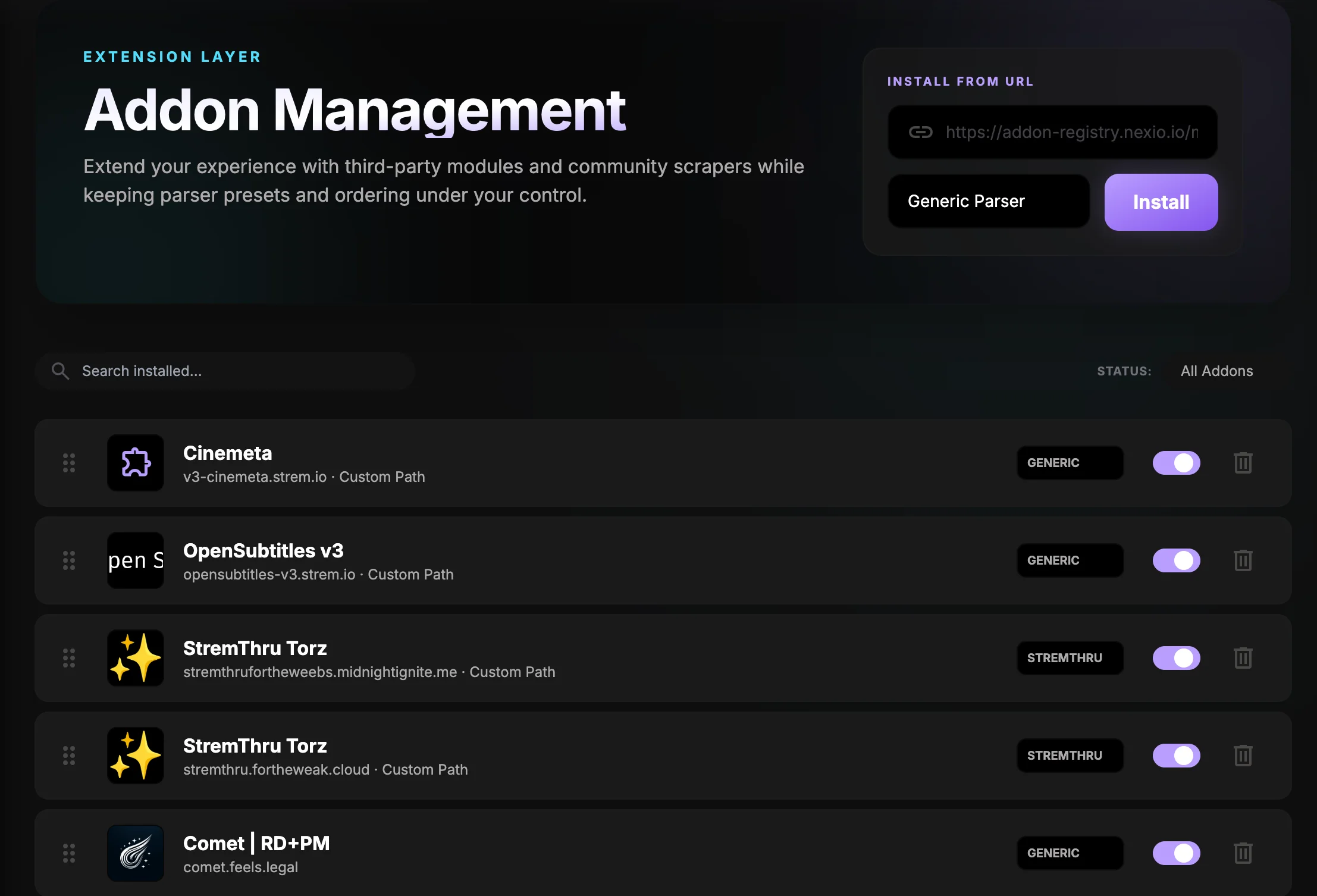 Addon Manager is where you install providers, adjust their order, and keep the account-level source list tidy.
What this page still does
- install an addon from a URL or manifest
- keep the addon list ordered
- enable or disable a provider without removing its setup
- pick the parser preset that best matches the provider's stream labels
- refresh the name, description, and logo when a manifest provides them
Parser presets
Parser presets help Nexio interpret provider labels correctly. Use the most specific preset that matches the source, then check a known title after saving.
Genericis the safest starting point.Torrentio,StremThru, andWebStreamrare useful when the provider follows one of those styles more closely.
What to expect after saving
The addon stays attached to the account, so the same setup can sync to other devices. If the list looks right but the stream names still feel off, the next place to look is the formatter guide, not the addon page.
Next page
Move to Catalog Inventory when you want to control which rows show up on Home.